How Bbrok works
Your patients book, reschedule and cancel entirely inside WhatsApp — no app, no phone calls — in English plus 7 Indian languages. They scan the QR code on your printed poster and they're booking; there's no WhatsApp number for you to set up. Everything else runs from one dashboard. Here's a screen-by-screen tour of what that dashboard does.
Appointments — your live queue
Every appointment lands here the moment a patient books, in token order. Tap a booking to open it, mark it completed or cancel it (the patient is notified), and filter by day or session.
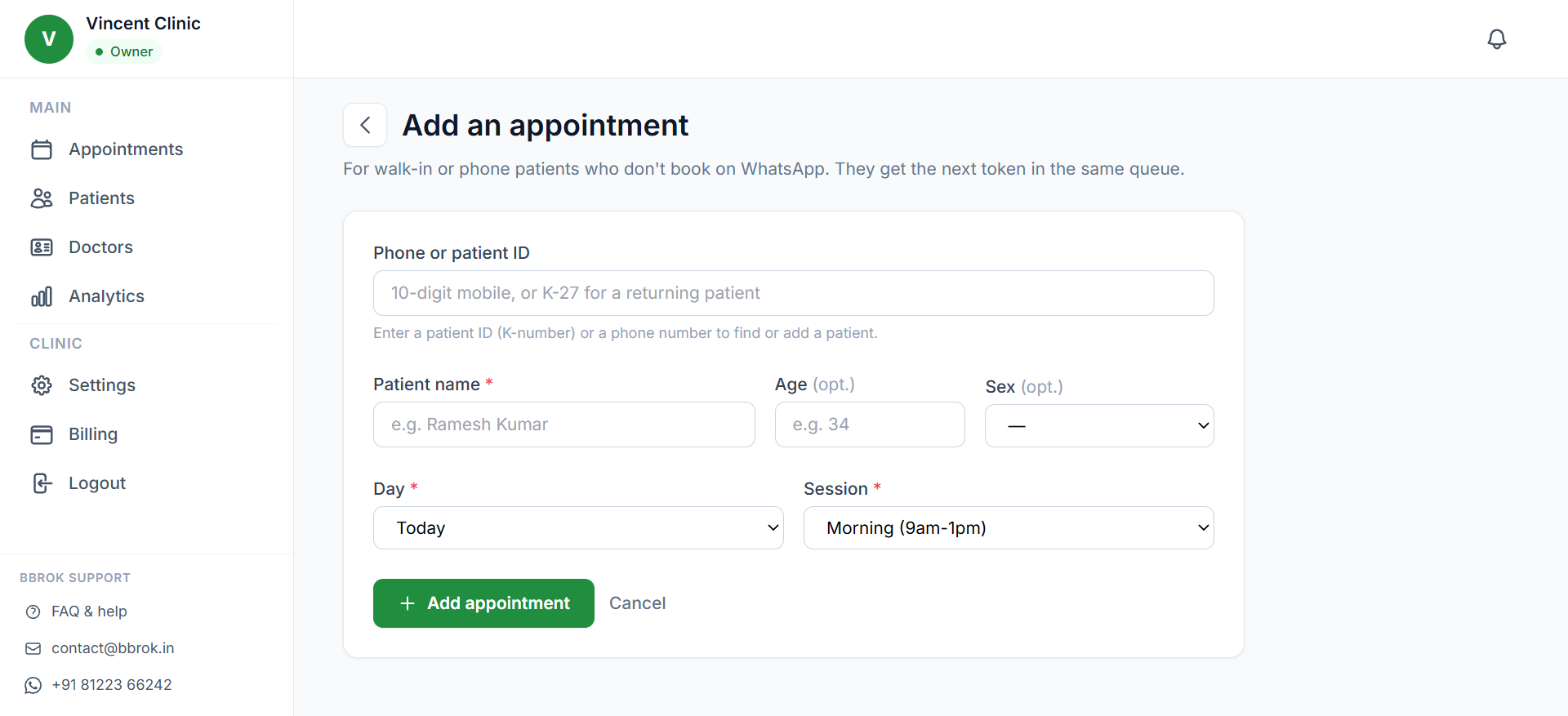
Add an appointment yourself
A patient at the counter or on a call? Tap Add booking to hand out a token by hand — name, phone, day and session — exactly like a WhatsApp booking. In a multi-doctor clinic you choose which doctor it's for.
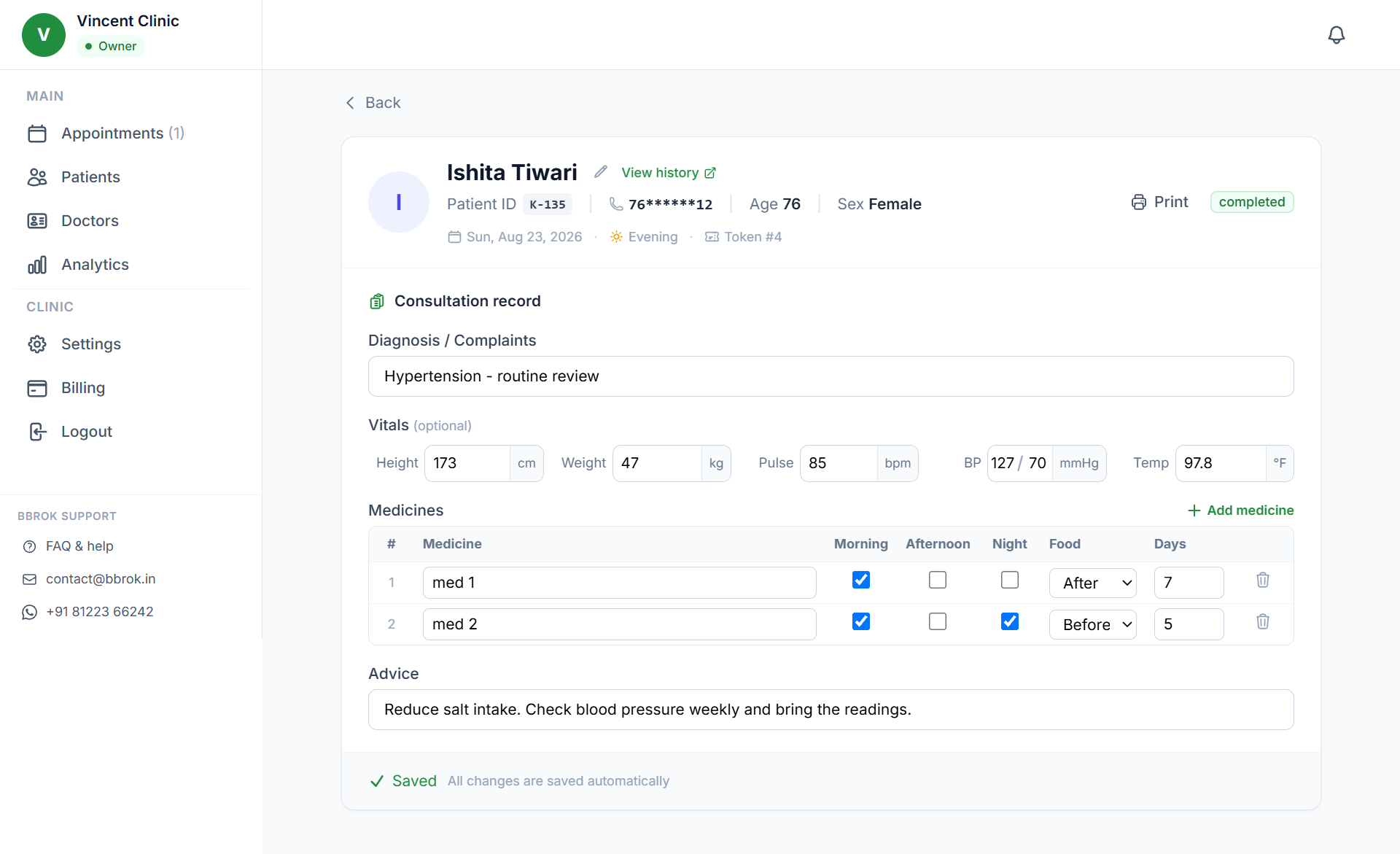
The patient record
Open any visit to keep a full record — no second software needed. Everything saves automatically as you type.
- Diagnosis / complaints and free-text advice.
- Vitals — height, weight, BP, pulse and temperature.
- Medicines with timing (morning / afternoon / night), before or after food, and duration — names auto-complete as you type.
Printable prescription — and receipt
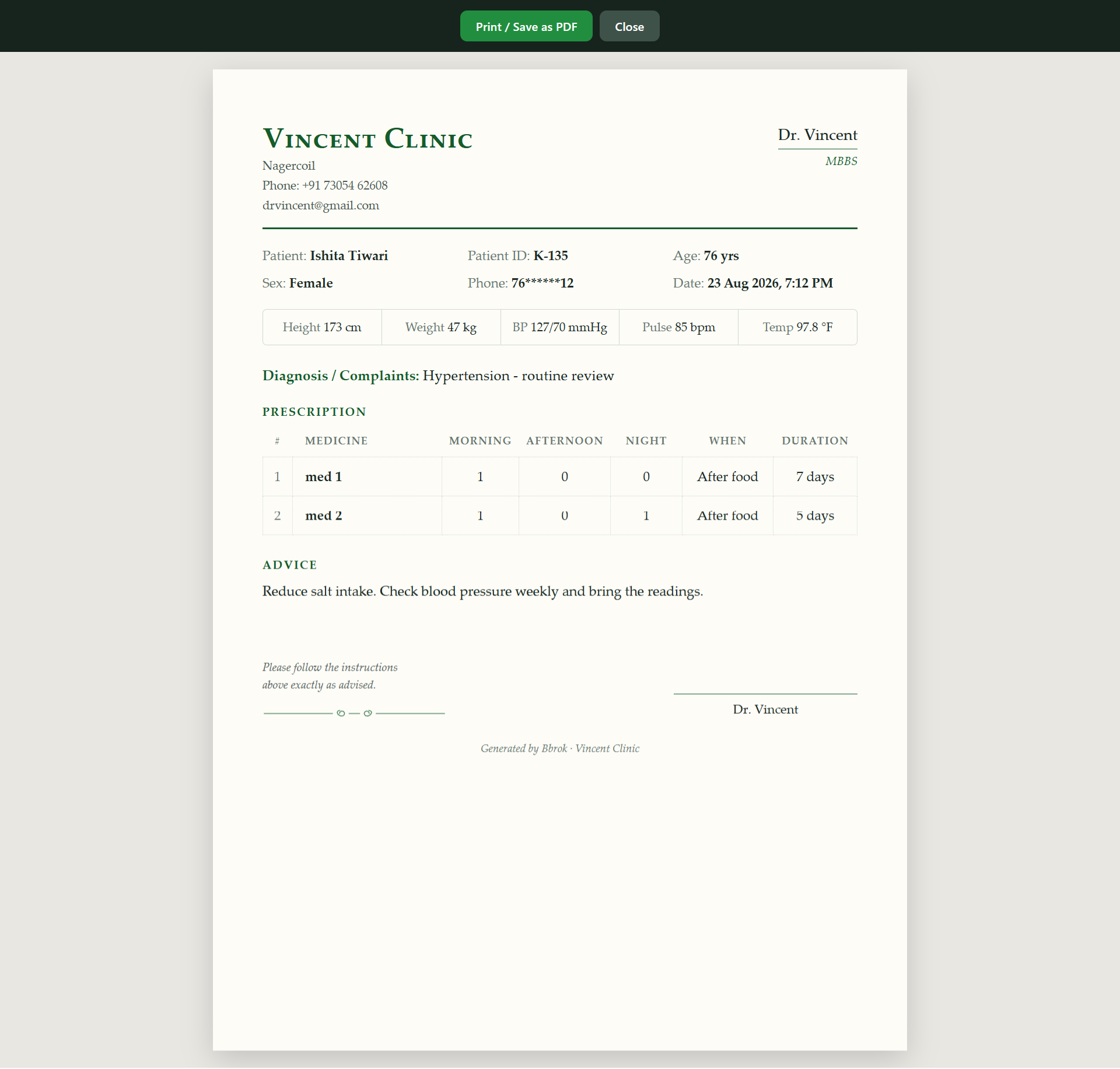
Tap Print for a clean prescription you can print or save as a PDF — clinic header, patient details, diagnosis, vitals and the medicine table, with the doctor's name and speciality on it.
The same record has a Charges section: list what the visit cost, item by item, and Print receipt gives the patient a receipt on the same headed paper. Keep your usual fees in Settings and they fill themselves in. Bbrok never takes the money — you're paid at the clinic as always; this is just the record and the printed slip. (Healthcare is GST-exempt, so it's a receipt for payment received, not a tax invoice.)
Multiple doctors, one clinic
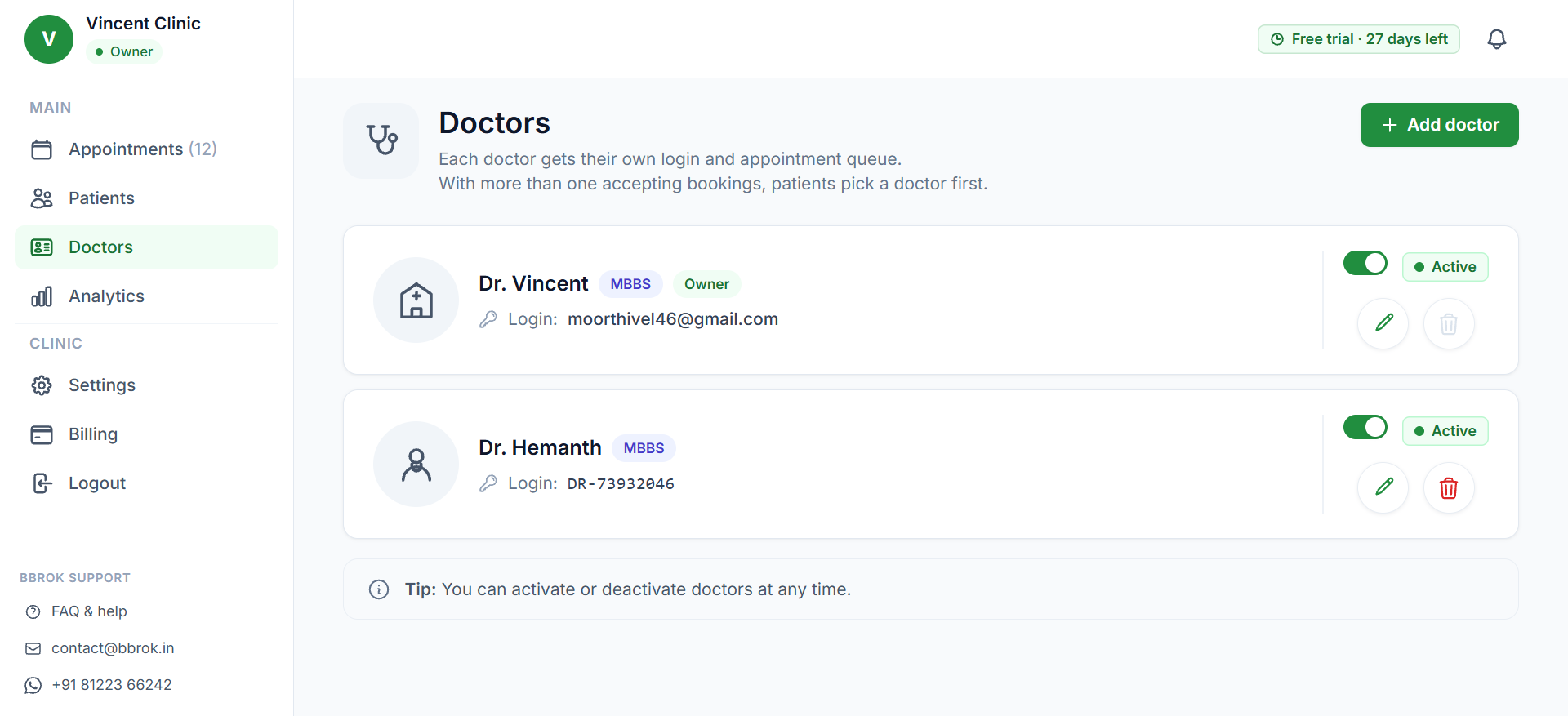
One subscription covers your whole team, at no extra cost. In Settings → Doctors you add, edit, pause or remove doctors — name, speciality and login.
- Each doctor gets their own login, working hours and token queue, so bookings never mix.
- When two or more are accepting bookings, patients pick a doctor first on WhatsApp.
- The owner sees every doctor's bookings (with a doctor column and filter); each associate sees only their own.
- A patient holds one active booking across the clinic — no double-booking two doctors.
Patients & history
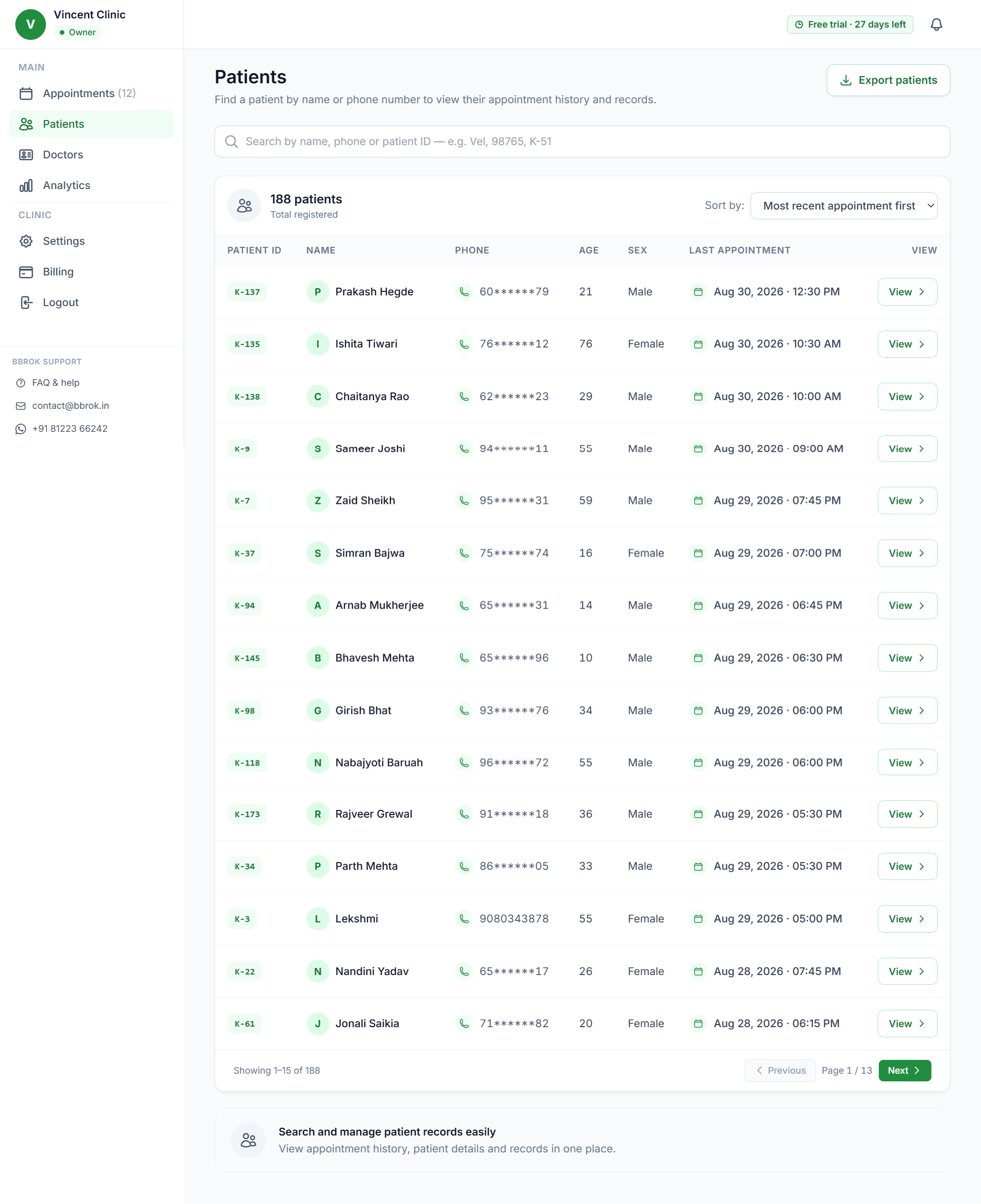
Search any past patient by name or phone and open their full visit history — every booking and any records you kept. The owner can export all patient data as JSON anytime.
Analytics at a glance
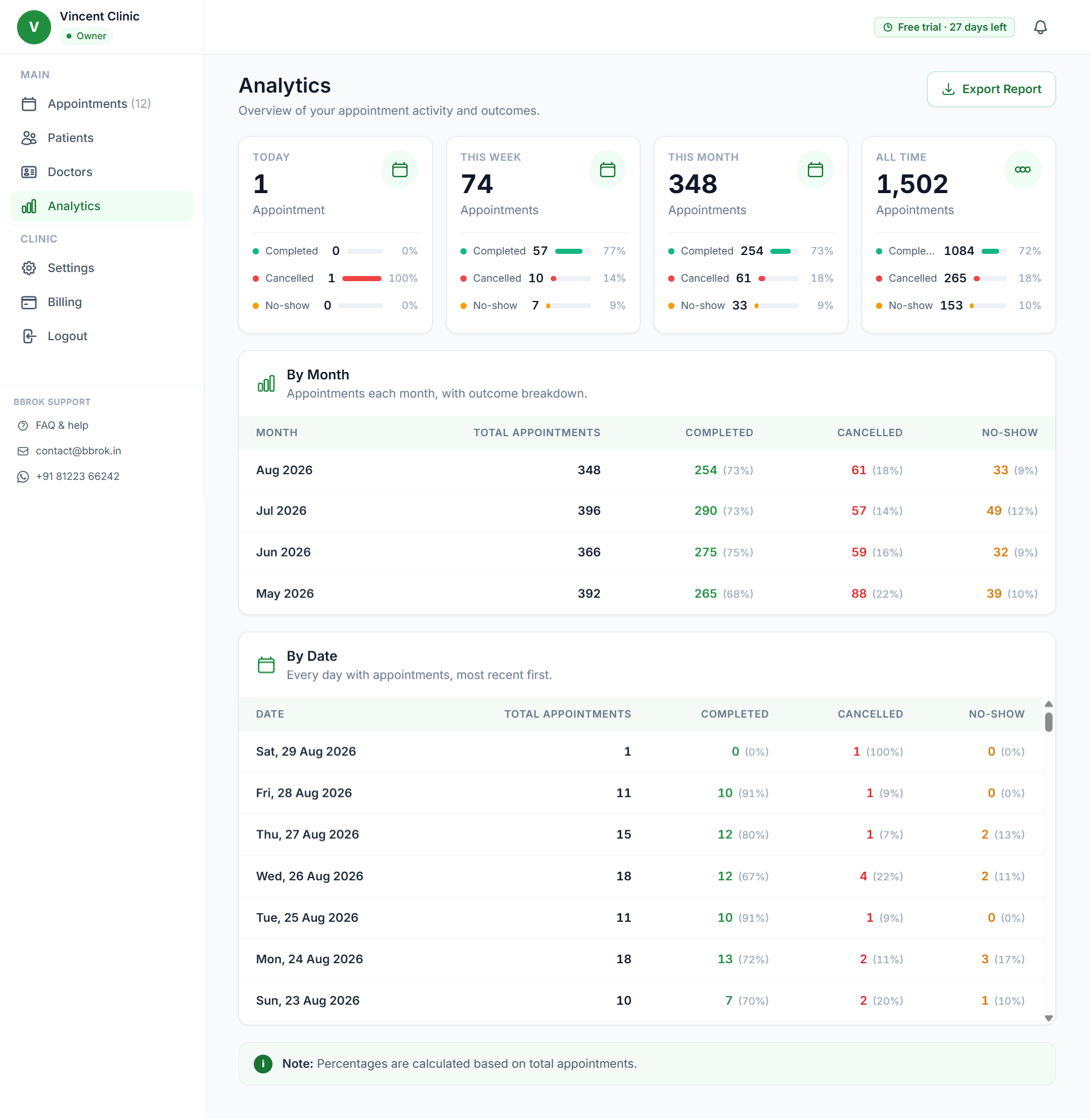
See how your clinic's running — bookings, completions, cancellations and no-shows over time, so you can spot busy days and trends.
Settings — set it up your way
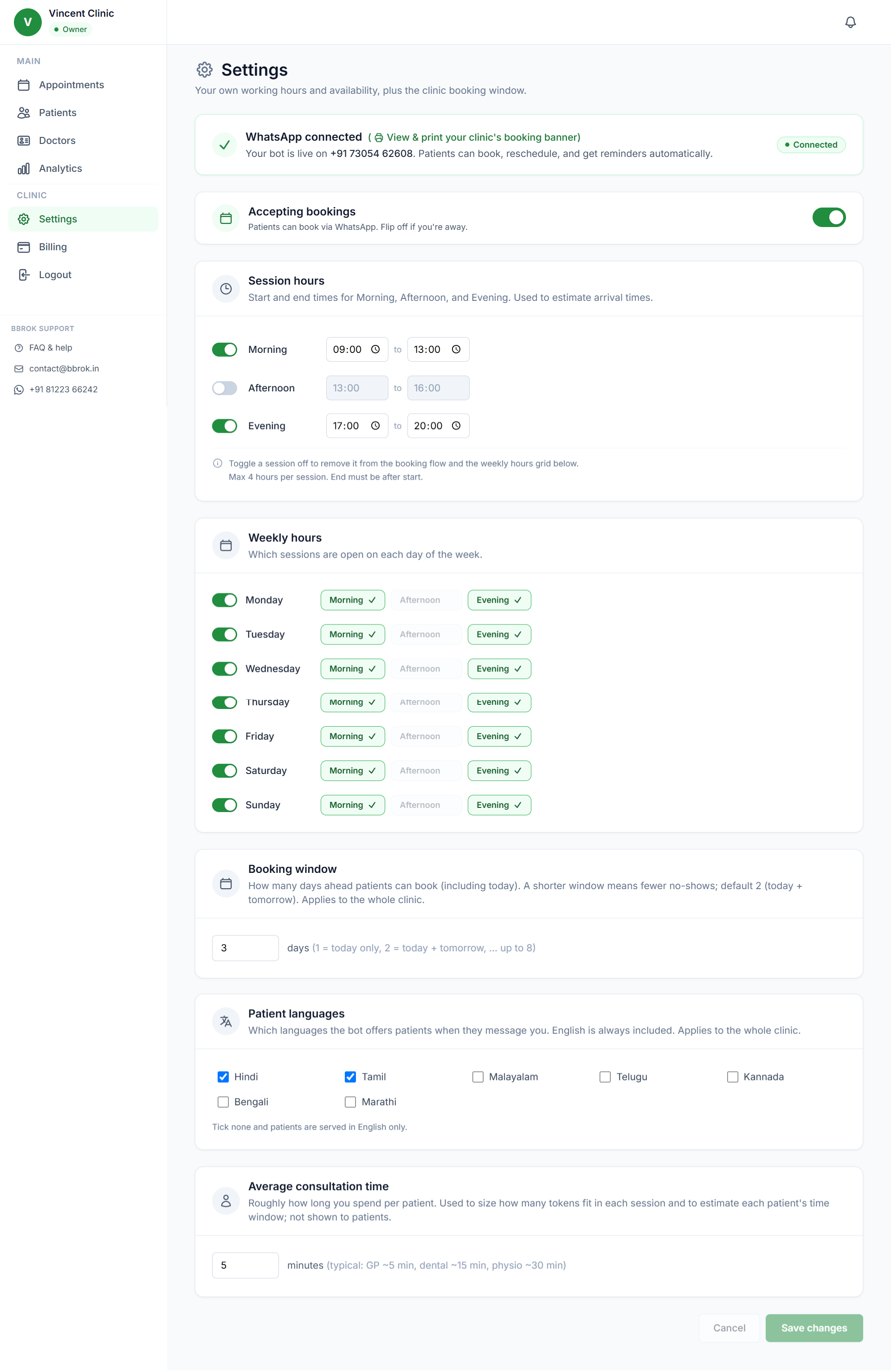
Four tabs, so you go straight to the thing you came for. My profile — your clinic's details, booking number and clinic code at a glance. Doctors — your team. Charges — the standard fees that fill in your receipts. WhatsApp — everything that shapes bookings: your own session hours (morning / afternoon / evening), which days you take bookings, the average consultation time behind each patient's arrival window, the languages you offer, how far ahead patients can book, and a one-tap Accepting bookings pause. Your hours are your own; the languages and booking window are clinic-wide and owner-only.
Runs on autopilot
Some things you never have to touch:
- Automatic reminders — a few hours before a visit, the patient gets a WhatsApp reminder with their token and arrival window, which noticeably cuts no-shows.
- No-show handling — repeat no-shows are managed for you, so your slots don't go to waste.
- Self-service reschedule & cancel — patients sort it out in WhatsApp, so the front-desk phone stops ringing.
Your data stays secure
Encrypted in transit and at rest, hosted in India, with role-based access — any records you keep are visible only to your clinic, never shared or sold.
30-day free trial · no card needed